![Vladimir [RaleyApps]](https://storage.ghost.io/c/54/bc/54bce786-a3c0-4ea3-b0f4-96f64229d4ff/content/images/size/w150/2026/02/Vlad-9-1-1.jpg)
Most procurement software comparisons start with a vendor shortlist. This one starts with a harder question: do you need a dedicated platform at all, or does procurement belong inside the tools your team already runs?
Procurement management software handles four jobs: intake (capturing what someone wants to buy), approval routing (getting the right sign-offs in the right order), purchase order generation (turning an approved request into a document a vendor can act on), and budget tracking (showing what is committed, not just what is paid). You can get those four jobs done three ways: a standalone platform such as Coupa, Zip, or Precoro; a module inside your ERP; or a layer built into the tools your team already runs every day. None of the three is universally right. This article names the criteria that decide it, not a ranked list of vendors.
What procurement management software actually does
Strip away the marketing language and procurement management software does four concrete jobs.
Intake. Someone needs to buy something. The software gives them a structured way to ask, instead of an email or a verbal "just order it," so the request carries the information procurement actually needs: what, how much, which budget, which cost center and GL account, which vendor.
Approval routing. The request moves to the right approver, or sequence of approvers, based on rules such as amount, department, or product category. A small office-supplies order might need one sign-off. A six-figure renewal might need finance, a department head, and a budget owner, in that order.
Purchase order generation. Once approved, the system turns the request into a formatted purchase order a vendor can act on, without someone rebuilding it in a document editor.
Budget and supplier tracking. The tool shows what has been requested, approved, and ordered against a budget, and keeps a record of who you buy from and what you have paid them historically.
That is the category. Everything else is an addition, not the definition: AI-assisted sourcing, contract lifecycle management, supplier risk scoring, spend analytics dashboards. Some tools build these. Others skip them.
Why teams look for this in the first place
Most teams do not start evaluating procurement software because someone read about it. They start because a specific failure already happened: a purchase order that should have needed two sign-offs only got one, a department blew through its quarterly budget and nobody noticed until the invoice arrived, or finance spent a week reconstructing what was actually committed to vendors this quarter because half of it lived in email threads.
Vendors list real benefits: streamlined operations, better supplier relationships, cost control, an audit trail for compliance. All of it is downstream of one thing. A purchase request needs a single, visible path from requisition to approval to order, not three different informal paths depending on who is buying and how urgent it feels. Software does not create that path. It enforces the one you design.
The three paths, and who each one actually fits
Once a team accepts it needs procurement management software rather than an ad hoc process, there are three real ways to get it, not one.
Path 1:
a standalone procurement or source-to-pay platform. Tools such as Coupa, Zip, Precoro, and Tradogram are independent systems built to be the center of your procurement function. They are strong at spend management, sourcing, and supplier programs at scale, and they are the right call once your organization has multiple entities, high supplier count, or contract lifecycle needs that outgrow a single approval workflow. The tradeoff is real: a new login, a new system to administer, and an adoption cost, since most requesters use the tool a handful of times a year and will default back to email the moment it is friction.
Path 2: a module inside your ERP. If you already run SAP, Oracle, or NetSuite, procurement functionality built into that ERP keeps purchasing in the same financial system of record. This fits organizations where procurement is inseparable from broader financial consolidation, multi-entity accounting, or where IT policy strongly prefers one vendor for core systems. The tradeoff is that ERP procurement modules are often built for the finance team's needs first, and the day-to-day requester experience, the person actually asking to buy a laptop, can be clunky compared to a purpose-built intake tool.
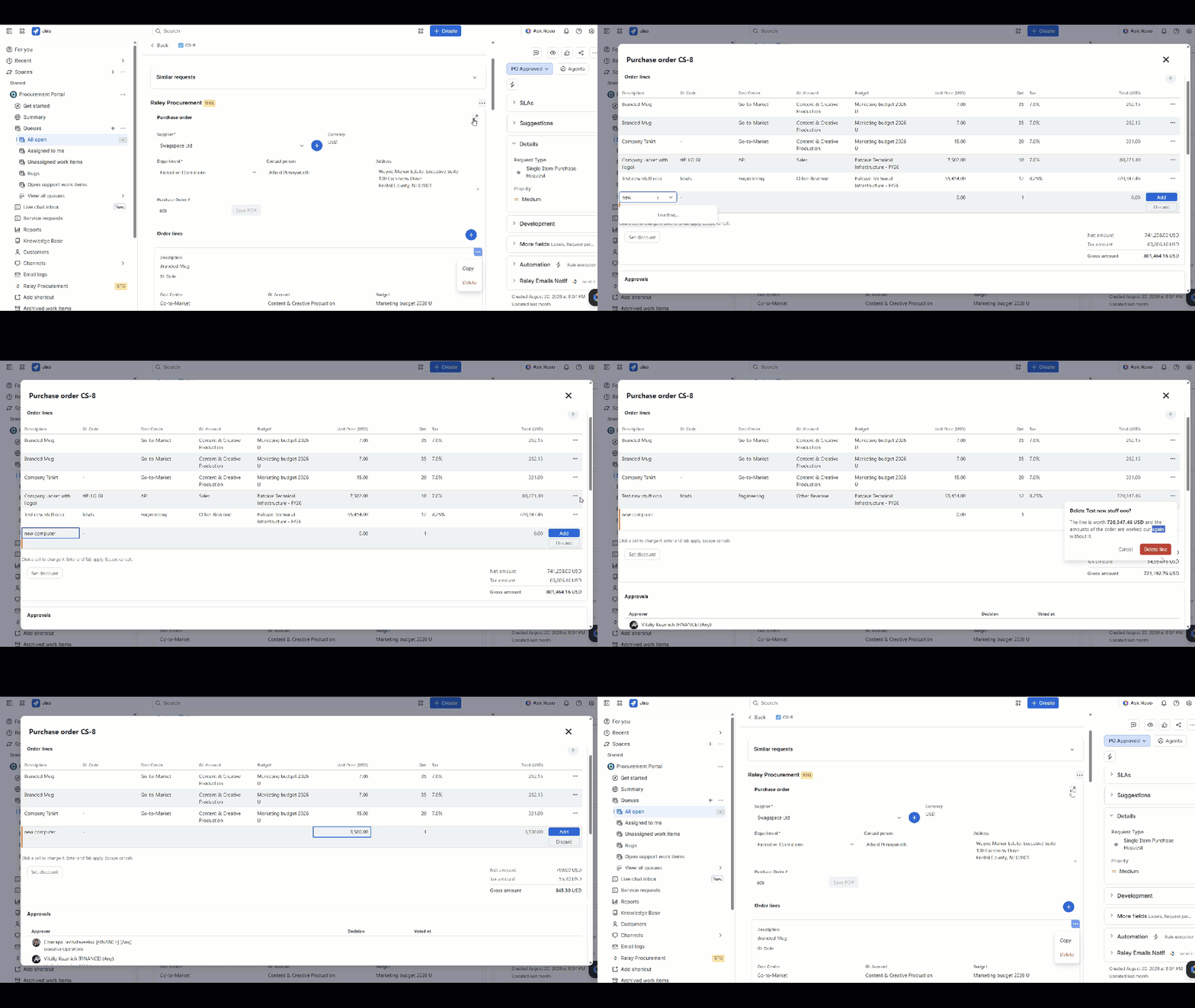
Path 3: a layer inside the tools your team already runs. For a team standardized on Atlassian, meaning Jira and Jira Service Management already handle IT tickets, HR requests, and other internal service work, procurement can be a layer on that same platform instead of a new destination. Raley Procurement for Jira and JSM is built for exactly this: an app that adds structured purchase requests, tiered approval routing, purchase order generation, and budget tracking directly inside the JSM portal your team already opens. This path wins on adoption (no new login, no new system to learn) and cost (a per-user Marketplace subscription rather than an enterprise contract), and it is the wrong call if your organization is not standardized on Atlassian, or if you need the sourcing, supplier-risk, and contract-management depth that a dedicated platform provides.
None of the three paths wins by default. They fit different situations, and most of the evaluation work is figuring out which situation you are actually in
The Three-Path Procurement Decision Framework
Use these questions in order. The first one you answer "yes, strongly" to points you at your path.
- Is procurement large and complex enough to be its own function? Multiple legal entities, a large or global supplier base, formal sourcing events (RFQ, RFP), or dedicated contract-management needs point to Path 1, a standalone platform.
- Is your organization already standardized on a single ERP for financial operations, with procurement expected to live inside it by IT or finance policy? That points to Path 2, an ERP module.
- Is your team already running Jira and Jira Service Management for other internal service work (IT, HR, facilities), and is procurement a core function among several, not a dedicated department with sourcing and supplier-risk needs? That points to Path 3, a Jira-native layer.
If you answered no to all three, or yes to more than one, the realistic next step is a short internal audit: walk last quarter's purchases and sort them into what came through a structured request, what came through email or Slack, and what was never formally requested at all. That audit tells you which of the three paths you are actually solving for, better than a feature checklist does.
Cloud-based procurement software: what changes and what does not
Most procurement management software vendors today, across all three paths, ship as a cloud-based procurement platform rather than an on-premise install. Cloud is now the dominant delivery model, roughly 70%+ of the market by recent industry estimates, with on-premise persisting mainly among large enterprises with strict security or data-control requirements. That shift changed deployment and maintenance: updates roll out centrally, and there is no local server to patch. It did not change the core evaluation question. A cloud-based procurement platform, an ERP procurement module hosted in the cloud, and a Jira-native procurement layer are all cloud-delivered in 2026. The distinction that actually matters for your decision isn't cloud versus on-premise. It's standalone versus embedded, which is what the three-path framework above addresses directly.
The same three paths apply to IT procurement: buying hardware, software licenses, and IT services. There's one addition. If your IT team already tracks assets in Jira Service Management, a Jira-native procurement layer keeps IT purchasing next to the asset and ticket data IT already manages, rather than in a fourth system.
Key features to check, whichever path you take
Whichever path fits, evaluate the tool against the same feature list, since the category's job does not change:
- Structured intake, not a free-text form bolted onto a generic ticket. Can it capture budget code, cost center, and vendor detail at the point of request?
- Configurable approval tiers by amount, department, product, budget, cost center, or GL account, not a single fixed approver chain.
- Purchase order generation with a formatted document a vendor can act on, not a manual rebuild in a separate editor.
- Budget tracking that shows committed spend, meaning purchase orders already approved but not yet invoiced, separately from spend already paid. A tool that only shows paid spend hides the number finance actually needs at quarter close.
- Supplier and product records that persist across requests, rather than re-entering vendor details every time.
- Multi-currency support, if you buy from vendors outside your home currency.
- A REST API or a clean export path to your ERP or accounting system for the financial transaction (matching, invoicing, payment), since procurement software should hand off cleanly rather than try to replace financial execution.
Miss the budget-commitment view, and you've missed the point. Procurement software that skips it tends to produce the exact surprise procurement software is supposed to prevent: a department finds out it is over budget only when the invoice lands, not when the purchase order was approved weeks earlier.
How to decide, in practice
Run the Three-Path Procurement Decision Framework rigorously, including the audit step if you answered no to all three or yes to more than one. Then check the feature list against the path you land on. The underlying job stays the same no matter which path delivers it: intake, routing, PO generation, budget visibility.
If you land on Path 3, the next step is seeing it against your own approval tiers and budget structure, not a generic demo. That's who Path 3 is for: teams already on Jira and JSM, where procurement is a core function among several, not a dedicated department with its own sourcing and supplier-risk needs.
See Raley Procurement for Jira & JSM on the Atlassian Marketplace or learn more on the Raley Procurement page.
What is procurement management software?
Software that handles four jobs: capturing purchase requests in a structured way (intake), routing them to the right approvers based on rules like amount or department (approval routing), turning approved requests into a formatted document for the vendor (purchase order generation), and tracking spend against budget, including what is committed but not yet invoiced (budget tracking). Everything beyond those four is an addition some tools make, not part of the core definition: sourcing, contract management, supplier risk scoring.
What are the main benefits of procurement management software?
Streamlined operations, better supplier management, cost efficiency, compliance transparency: the commonly cited benefits all trace to one underlying change. A purchase request gets one visible, enforced path from requisition to order instead of several informal ones. Cost efficiency in particular tends to come from catching budget overruns at approval time rather than at invoice time.
What is the difference between procurement software and an ERP purchasing module?
An ERP purchasing module lives inside your enterprise resource planning system (SAP, Oracle, NetSuite) and keeps procurement in the same financial system of record, which suits organizations where procurement is tightly bound to financial consolidation. Standalone procurement software and Jira-native procurement layers sit outside the ERP and hand off approved purchase orders to it for the actual financial transaction. Neither is universally better; it depends on whether your organization is ERP-led or needs procurement to live where day-to-day requesters and approvers already work.
Do I need a standalone procurement platform, or is a lighter tool enough?
It depends on scale and complexity, not company size alone. A standalone platform such as Coupa, Zip, or Precoro earns its cost when you have multiple legal entities, a large or international supplier base, formal sourcing events, or dedicated contract-lifecycle needs. Below that complexity, especially for a team already standardized on Jira and JSM, a procurement layer built into the tools you already use tends to deliver the same core jobs without a new system to adopt: intake, approval, PO generation, budget tracking.
What should small businesses look for in procurement software?
The same four core capabilities as any team: structured intake, configurable approval routing, purchase order generation, and budget tracking that separates committed spend from paid spend. Smaller teams typically do not need sourcing modules or supplier-risk scoring yet, so a lighter, cheaper tool that covers the core four without the enterprise overhead is usually the better fit than a full source-to-pay suite.
Are cloud-based procurement platforms different from on-premise procurement software?
In 2026, most active vendors ship as cloud-based, across all three paths: standalone platforms, ERP modules, embedded layers. Cloud is the dominant model, roughly 70%+ of the market, though on-premise still persists among large enterprises with strict security or data-control requirements. The meaningful choice isn't cloud versus on-premise. It's standalone versus embedded in the tools you already run, which is what the Three-Path Procurement Decision Framework in this article addresses.
How do I compare procurement software vendors without getting lost in feature lists?
Start with the three-path question (standalone platform, ERP module, or a layer inside tools you already run), since that filters out most vendors that do not fit your situation before you compare features at all. Within the path that fits, check the same core list every time: structured intake, configurable approval tiers, purchase order generation, and a budget view that shows committed spend, not just paid spend.
- Why procurement belongs in Jira Service Management
- Why intake-to-procure belongs in Jira Service Management
- Jira vs Jira Service Management: which one should run procurement intake
- 5 reasons to run your procurement on Jira or JSM
- Procurement in Jira: 8 lessons from five years in the field
- How a growing software team brought purchase approvals into Jira
![Vladimir [RaleyApps]](https://storage.ghost.io/c/54/bc/54bce786-a3c0-4ea3-b0f4-96f64229d4ff/content/images/size/w300/2026/02/Vlad-9-1-1.jpg)