![Vladimir [RaleyApps]](https://storage.ghost.io/c/54/bc/54bce786-a3c0-4ea3-b0f4-96f64229d4ff/content/images/size/w150/2026/02/Vlad-9-1-1.jpg)
Quick answer. Use Jira Service Management (JSM) for procurement intake in roughly 9 cases out of 10. It costs far less per seat for occasional requesters, since they need a customer access, not a full Jira license, it ships a customer portal built for non-Jira users, and it natively supports approvals and SLAs. Use plain Jira only if every requester already holds a Jira license and procurement needs deep PM-style reporting on its own backlog.
Why this question matters more than it looks
A surprising number of Raley conversations start with the same question: should we run our procurement intake out of a Jira Software project or a Jira Service Management (JSM) service project? While this sounds technical it is actually one of the most consequential design choices a team will make. It affects who can submit requests, how approvals work, what the audit trail looks like, and how much it costs to license. Most teams pick a side on instinct, get six months in, and discover they chose wrong.
This is a guide to choosing deliberately. We will cover what each option actually gives you, the real cost difference, the operational implications, and which choice fits which kind of organization. By the end you will know where your procurement intake should live, and why.
Procurement intake is a strange workload. The submitters are everyone in the company: the marketing manager filing a quarterly software request, the engineering lead asking for a new contractor, the office admin restocking supplies. The approvers are a small group of specialists: procurement, finance, legal, security, IT. The work itself involves structured data (cost, vendor, line items), conversational back and forth, and links to other systems (the supplier, the ERP, the contract repo).
Atlassian gives you two ways to model this:
- Jira (Software) project. Internal-facing, every participant is a Jira licensed user, designed for teams collaborating on work.
- Jira Service Management project. Has a customer portal, supports licensed agents and unlicensed customers or requesters, designed for service workflows.
Both can hold purchase requests. Both support workflows and approvals. Both have automation. But the architecture, the licensing model, and the user experience are genuinely different, and one of them is far better suited to procurement intake for most organizations.
What Jira Software gives you for procurement
A Jira Software project for procurement looks like an internal team's project. The procurement team is the "team," every purchase request becomes a Jira issue (typically of type "Request" or "Purchase Order"), and approvers and contributors interact directly in the issue.
Strengths. The biggest strength is familiarity for procurement. The procurement team's daily work, tracking purchases, managing line items, reporting on status, happens in the same interface they would use for any other Jira project: boards, lists, backlogs, sprints if relevant. The data model is rich. Issue types, custom fields, workflows, screens, components, and versions are all available. Issue links are powerful too. A purchase request can link to a security review issue in the IT project, a contract review issue in the Legal project, a vendor onboarding issue in the Finance project. Each function lives in its own project with its own queues and permissions, and the procurement issue is the spine that ties them together. Reporting is mature: custom JQL queries, dashboards, gadgets, exports. Procurement's own metrics, cycle time, approval bottlenecks, vendor spend distribution, are first-class queryable data.
Weaknesses. Every requester needs a Jira license. In Atlassian Cloud, a Jira Standard user costs roughly $8 per month, Premium closer to $16. For a 500-person company where most employees file maybe one purchase request per quarter, this is a serious overspend, tens of thousands of dollars a year in Jira licenses for users who interact with procurement four times a year. The submission experience is wrong for occasional users too. A first-time requester opens Jira and sees a board full of issue cards they don't understand, navigation built for power users, and an issue-create form with fields designed for someone who lives in Jira. It's not bad software, it's just not designed for the once-a-quarter user, and adoption suffers as a result: spend leaks back into email and credit cards. There's no native customer portal, so the request experience is the same as a developer creating a bug ticket. You can build forms and templates, but you're working against the grain of what Jira Software is for. Permissions get complicated fast, too. Procurement requests often contain sensitive data: supplier negotiations, salary information, confidential contracts. Locking down a Jira Software project so only the right people see the right things requires careful permission-scheme work, and mistakes leak data.
What JSM gives you for procurement
A JSM service project for procurement separates the two audiences cleanly. Agents, meaning procurement, finance, and IT, work in Jira, while customers, meaning employees filing requests, interact with a clean portal. The same purchase request exists in both places, but each audience sees the version designed for them.
Strengths. The portal is the right UX for occasional submitters. A marketing manager who files a purchase request once a quarter sees a friendly form with help text, required fields, and clear status updates after submission, the same experience they already have for IT tickets or HR requests. No Jira power-user navigation, no issue cards, no boards, just a form and a status page. License costs are dramatically lower, because JSM charges per agent (the procurement team and approvers), not per customer. Everyone else in the company submits requests for free. For a 500-person company with a 5-person procurement team, that license-cost difference runs roughly an order of magnitude versus licensing everyone under Jira Software. Approvals are native: JSM has built-in approval functionality with first-class objects, approvers, approval state, escalation, so you don't need an add-on to build a basic approval workflow. SLAs are native too. JSM tracks time-to-first-response, time-to-resolution, and custom SLAs out of the box, so a purchase request sitting unapproved for five days triggers an alert without any custom automation. Permissions are cleaner, because JSM's customer/agent separation handles data sensitivity at the model level: customers see what they submitted and any updates, agents see everything, with no permission-scheme gymnastics required. Cross-functional routing is the use case JSM is built for. A purchase request that needs security review, legal review, and finance approval can spawn linked tickets in each function's queue, with each team working in its own JSM project. This is what Atlassian designed JSM to do for IT support, and it works just as well for procurement intake.
Weaknesses. JSM is more constrained than Jira Software in some places. Issue type schemes, custom fields, and workflows are still configurable, but the customer portal imposes its own UX patterns; you can't make it look exactly like anything you want, it's the JSM portal. For procurement teams who also want a project-management view of their own work, planning sprints, managing backlogs, capacity planning, JSM alone is less powerful than a Jira Software project. You can run both, keeping procurement's internal work in a Jira Software project and intake in JSM, but that adds a system to manage. JSM's own licensing model is worth understanding too: agent costs scale faster than Jira Software per-user costs once you have many agents. For very large procurement teams (say, 50 or more procurement, finance, and approval-related agents), the math starts to swing back the other way, though not by enough to overcome the customer-license savings. And customizing the portal UX has limits: you can't deeply customize its navigation structure or build entirely custom interfaces inside it. The portal looks like the portal.
Is JSM actually cheaper than Jira Software for procurement?
Cost is where this decision usually gets made, so let's make it explicit with a sample scenario: a 500-person company, a 5-person procurement team, 50 occasional approvers across departments, and 100 active requesters per quarter.
| Option | Licensing model | Annual Atlassian licensing cost |
|---|---|---|
| Jira Software | 500 Jira Standard licenses at roughly $8/user/month | Roughly $48,000/year, before any procurement-specific app |
| JSM | 15 JSM agents (5 procurement + approximately 10 cross-functional approvers) at roughly $20/agent/month; customers (every requester) are free | Roughly $3,600/year |
That's a roughly 12x cost difference in Atlassian licensing. For procurement intake specifically, JSM wins on cost by an order of magnitude.
The picture changes if the company already has 500 Jira Software licenses for unrelated reasons, for example engineering already runs on Jira Software, so the marginal cost of adding procurement intake there is zero. In that case, Jira Software intake costs nothing additional. This is true for some Raley customers, and it's a legitimate reason to choose Jira Software despite its other limitations.
The user experience comparison
A side-by-side of what each option feels like in practice:
| Moment | Jira Software project | JSM project |
|---|---|---|
| Requester needs to file a request | Opens Jira, navigates to the right project, clicks Create, picks an issue type, fills out a form designed for power users | Opens a portal link from a bookmark, Slack, or the company directory, picks "Submit a purchase request," fills out a clean form |
| Requester checks status | Opens Jira, finds their issue, reads comments and field changes | Opens the portal, sees a clean status page with simplified updates |
| Approver gets notified | ||
| Procurement team works | In Jira boards, lists, and dashboards | In the Jira agent view, with JSM-specific queues, SLAs, and satisfaction metrics |
| Approvers work | Jira | JSM Agent view/Portal |
The Jira Software experience is excellent if everyone is already a Jira power user. It's clumsy if half your submitters open Jira once a quarter.
When should you use Jira Software instead of JSM?
Jira Software wins for procurement intake when:
- Your company is small and everyone already has Jira Software licenses for other reasons (engineering-heavy startups under roughly 100 people).
- Your procurement team wants deep project-management-style features for their own work, not just intake.
- Your requesters are technical and Jira-fluent (engineering tools companies, dev shops).
- You're already comfortable building permission schemes and custom workflows.
- Your approval workflow depends on sub-tasks (a parent request split into child approval steps). JSM can't tie a request type to a sub-task, so sub-tasks stay off the customer portal; the JSM equivalent is issue linking, not true parent-child sub-tasks.
- Cost is genuinely not a factor.
JSM wins for procurement intake when:
- Your requesters are not Jira power users, which covers most non-engineering teams.
- You want the customer portal experience for occasional submitters.
- Cross-functional approvals are part of your workflow: security review, legal review, finance approval.
- You already run JSM for IT or HR, so procurement becomes one more service workflow.
- License cost matters, which is nearly always true and especially so for larger companies.
- SLA tracking is a requirement.
For Raley's customer, JSM is the right answer more than 90% of the time. The licensing math alone justifies it. The portal UX is the part that makes adoption stick.
Why Raley supports both, but recommends JSM
Raley works inside both Jira Software projects and JSM service projects. The data model, purchase orders, suppliers, budgets, approval matrices, is the same either way. The procurement workflows, PO generation, goods receipt, and committed-spend dashboards, work identically regardless of project type. See how the Raley Procurement product page breaks down what runs on top of either setup.
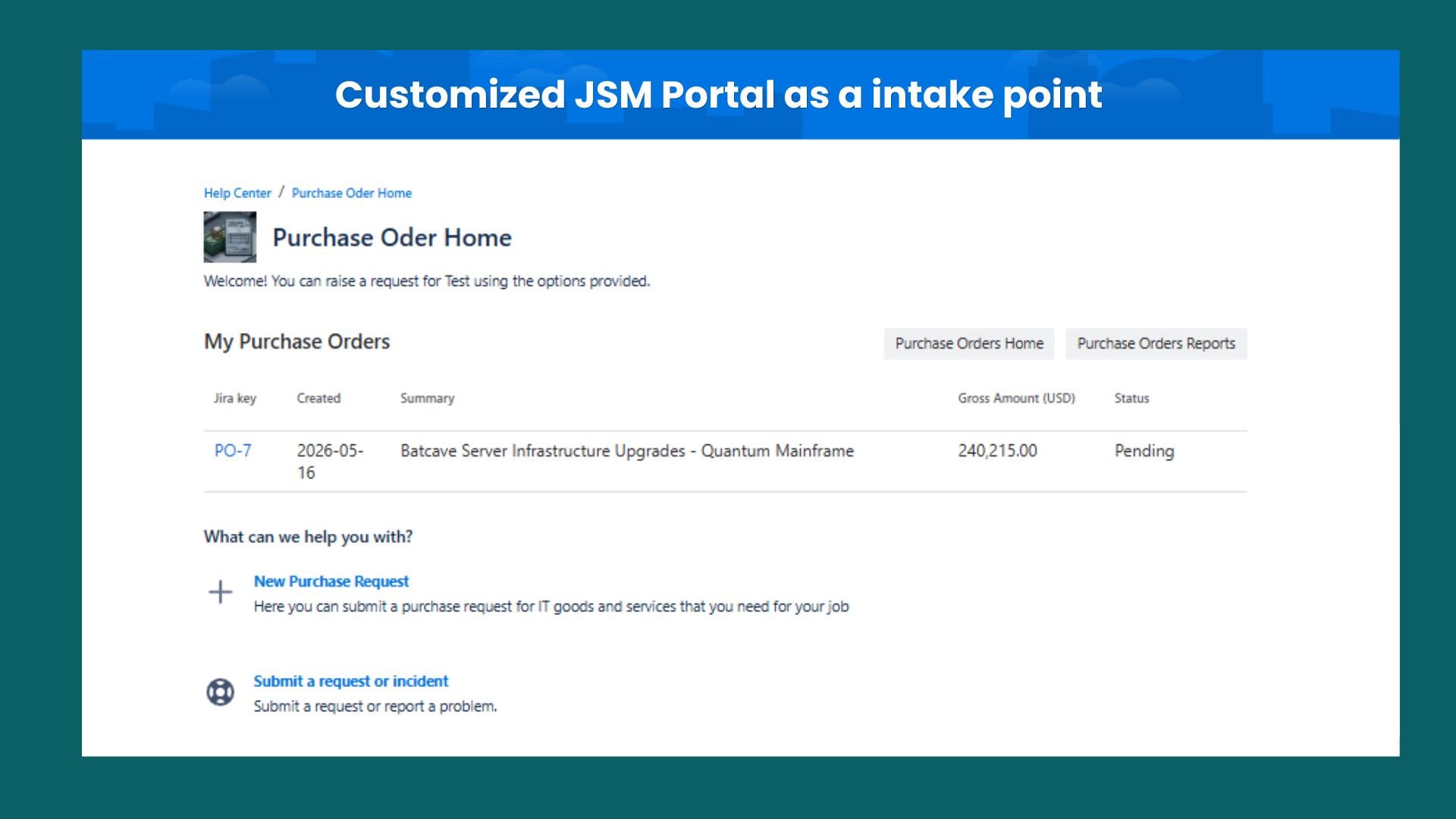
What differs is the intake experience, and that's where the choice matters. With JSM, requests come in through the customer portal. With Jira Software, requests come in through the Jira create-issue flow. Both produce the same downstream procurement workflow, but the upstream submission experience is meaningfully different.
For organizations with technical, Jira-fluent submitter populations and a small total user base, Jira Software is workable. For everyone else, JSM is the right architecture for procurement intake. We recommend JSM in nearly every new deployment, and the reason has very little to do with Raley specifically; it has to do with what JSM was designed for. For the fuller argument on why intake itself is a service-orchestration problem, see why intake-to-procure belongs in Jira Service Management.
A practical decision framework
If you're choosing today, walk through these five questions in order.
- Are most of your purchase requesters non-engineering employees? If yes, JSM. If they're all engineers and ops-fluent users, you can consider Jira Software.
- Do you already have JSM running for IT or HR? If yes, JSM: procurement becomes another service workflow on the same platform.
- Will procurement requests need to touch other functions, such as security, legal, or finance, for cross-functional review? If yes, JSM: that's exactly what JSM is built to orchestrate across.
- Is Atlassian licensing cost a real constraint? If yes, JSM: the customer/agent model is dramatically cheaper for procurement intake's user mix.
- Are you a small team where everyone is already a Jira Software user? If yes, Jira Software is workable. Otherwise, JSM.
One structural exception sits under these questions: if your approval routing runs on sub-tasks (a parent request with child approval steps approvers act on directly), Jira Software handles it natively. JSM can't associate a request type with a sub-task, so its portal-facing equivalent is issue linking rather than a parent-child hierarchy. Narrow, but real.
In practical terms, this framework points to JSM for the overwhelming majority of organizations evaluating Raley. The exceptions are real, but narrow. For more on how procurement's day-to-day operating patterns play out once intake is settled, see procurement in Jira: 8 lessons from five years in the field.
The deeper point
The Jira-versus-JSM choice for procurement intake isn't really about Jira and JSM. It's about a more fundamental question: is procurement a function used by everyone in the company occasionally, or is it the procurement team's own internal work?
If it's the team's own work, Jira Software's project-management strengths fit. If it's a service the whole company consumes, JSM's customer-portal model fits.
For modern procurement intake, where the goal is to capture all spend by making it easy for any employee to file a request through a familiar portal, the answer is almost always JSM. That's the architectural insight behind intake-to-procure as a category, and it's why Raley's positioning leans into JSM as the natural home for procurement intake inside Atlassian. Ready to see it running on your own instance? See how Raley Procurement works on JSM.
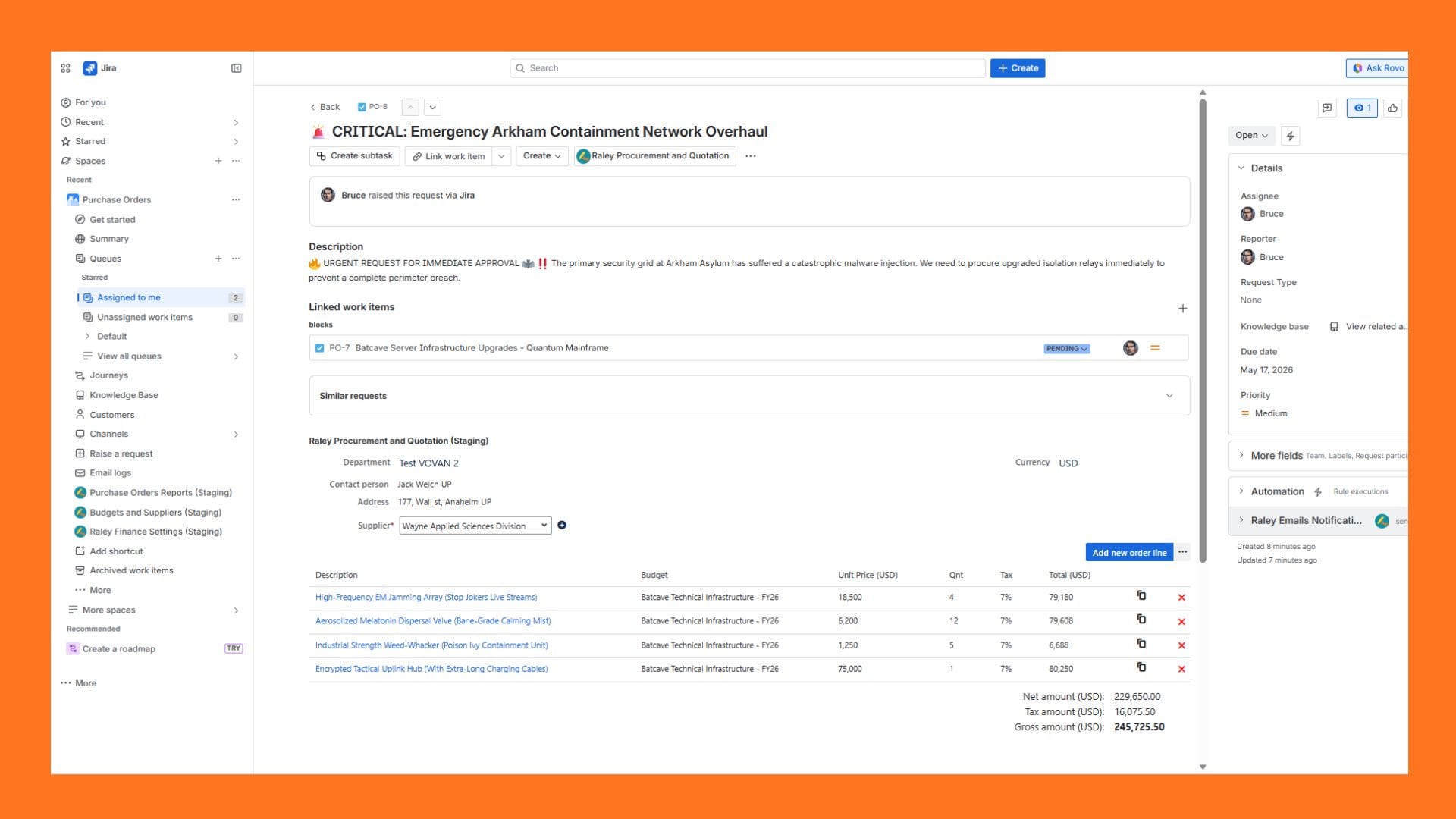
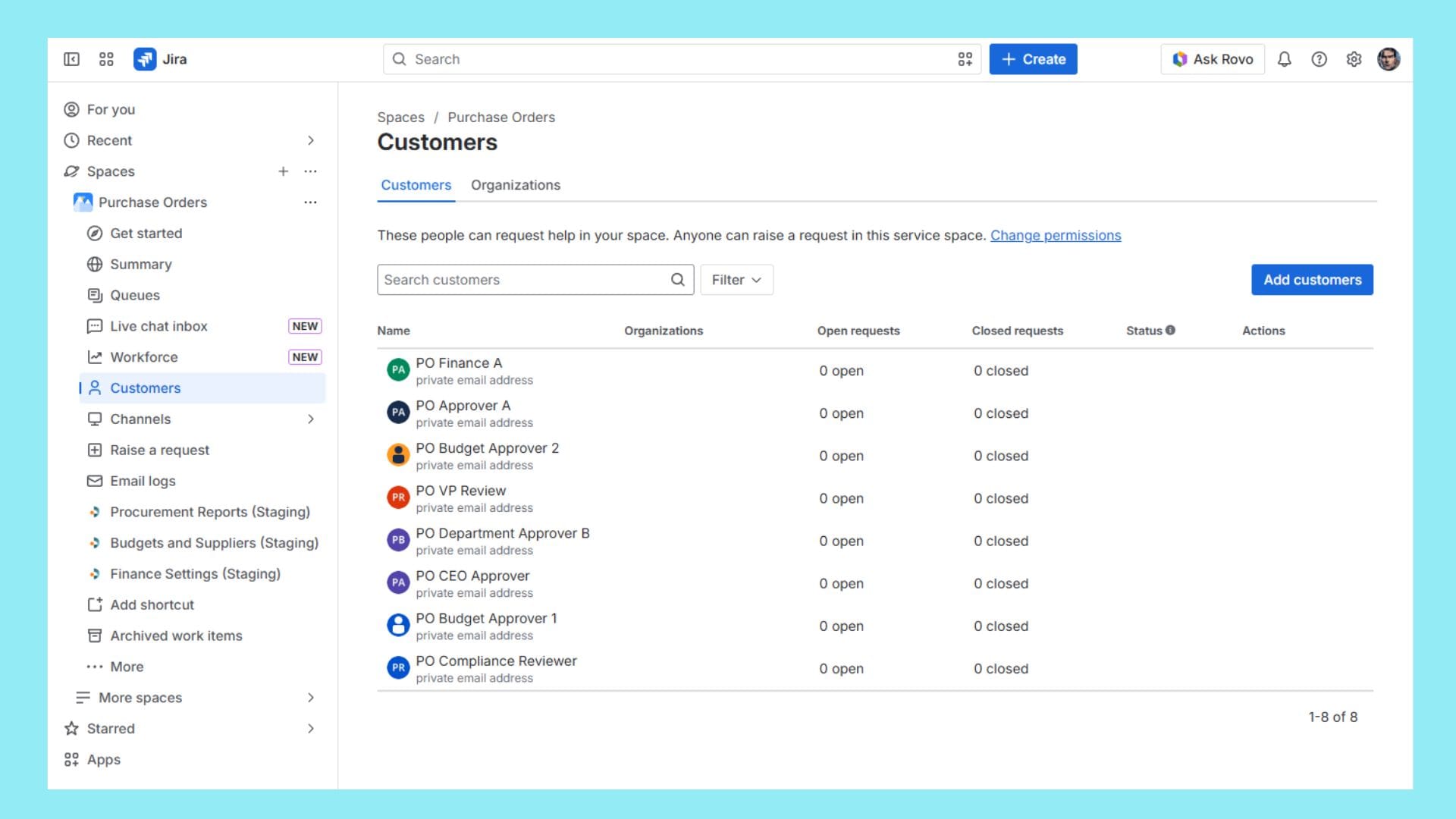
Here are some examples of how to turn the JSM portal into a procurement use case.
What's the actual difference between Jira and Jira Service Management?
Jira Software is built for a team collaborating on its own work, every participant holds a Jira license, and the interface is issue-and-board oriented. Jira Service Management adds a customer portal and a licensed-agent-plus-unlicensed-customer model, so people outside the core team can submit requests through a simple form without a Jira license. Both sit on the same underlying platform and can hold the same kind of structured data; the difference is who is expected to use each one and how they access it.
Is JSM cheaper than Jira Software for procurement intake?
Yes, usually by a wide margin. In our sample scenario, a 500-person company with a 5-person procurement team and roughly 10 cross-functional approvers, licensing everyone under Jira Software runs about $48,000 a year, while running the same setup on JSM (15 licensed agents, with every requester free as a customer) runs about $3,600 a year, roughly a 13x difference. That gap narrows only if the company already has Jira Software licenses for everyone for unrelated reasons, such as an engineering-heavy organization, in which case the marginal cost of Jira Software intake can be zero.
Can non-Jira users submit procurement requests?
Yes, through JSM's customer portal, and this is one of its core advantages for procurement. A requester doesn't need a Jira license or any Jira familiarity: they open a portal link, fill out a form with help text and required fields, and see a simplified status page afterward. In a Jira Software project, by contrast, every requester needs a Jira license and has to navigate the same interface a developer would use to file a bug.
Does Raley Procurement work the same way in both Jira and JSM?
The underlying data model and downstream workflow are identical either way: purchase orders, suppliers, budgets, approval matrices, PO generation, goods receipt, and committed-spend dashboards all work the same. What differs is only the intake step. In JSM, requests arrive through the customer portal; in Jira Software, they arrive through the standard Jira create-issue flow. Everything after that point is the same procurement workflow.
When should procurement use Jira Software instead of JSM?
Mainly when the requester population is small and already Jira-licensed for other reasons, for example an engineering-heavy company under roughly 100 people, or when the procurement team specifically wants deep project-management features, sprints, backlogs, capacity planning, for its own internal work rather than just intake. Outside of those narrower cases, JSM's licensing cost and portal experience make it the better fit for most organizations evaluating Raley.
Raley Procurement runs on both Jira Software and Jira Service Management. See how Raley Procurement works, or read 5 reasons to run your procurement on Jira or JSM for the shorter version of this argument.
![Vladimir [RaleyApps]](https://storage.ghost.io/c/54/bc/54bce786-a3c0-4ea3-b0f4-96f64229d4ff/content/images/size/w300/2026/02/Vlad-9-1-1.jpg)