![Vladimir [RaleyApps]](https://storage.ghost.io/c/54/bc/54bce786-a3c0-4ea3-b0f4-96f64229d4ff/content/images/size/w150/2026/02/Vlad-9-1-1.jpg)
Key takeaways
- Five years building procurement on Jira and JSM produced eight lessons that cost us the most to learn.
- JSM beats the alternatives, custom workflows are the whole point, and purchase data belongs in JSM Assets, not custom fields.
- The biggest mistake: handling multiple line items with sub-tasks. Get the approval order right instead.
Five years ago, a client asked us a deceptively simple question: could they run their company's purchasing through Jira? We said yes, because we knew the platform could do almost anything. We did not yet know how much "almost" was carrying in that sentence.
Since then we have built procurement on Jira and Jira Service Management for a lot of companies, and we have made most of the mistakes so you do not have to. Here are the eight lessons that cost us the most to learn, written down so they cost you nothing. We build Raley Procurement & Quotation, so this is the view from inside the workshop.
1. JSM beats the alternatives for procurement
Of the Atlassian options, we prefer Jira Service Management for procurement. Any Jira-type platform can technically run purchasing, but JSM wins on two counts.
First, the portal is simpler. Jira's flexibility comes with interface complexity, and the JSM portal hides most of it behind a clean request form that non-technical buyers can actually use.
Second, familiarity. Plenty of companies already use JSM to talk to IT and HR, so the people raising purchase requests have used the portal before. Less training, faster adoption. Jira Work Management and the others tend to stay inside IT, which makes them a harder sell to a finance or operations team.
2. Customizable workflows are the whole point
Most purchasing systems ship with a fixed workflow and a few cosmetic options. You can add or skip an auxiliary step, but the core logic belongs to the vendor. The trouble is that every company approves money differently, and "differently" is exactly what fixed workflows cannot handle.
This is where Jira earns its place. Custom workflows, transitions, and post-functions are the backbone of the platform, and you can shape them to match how your company actually buys. One example we use often:
A purchase request is created, filled in, and sent for approval. Before any of that, management adds a preliminary verification step that catches obvious errors early, so fewer requests bounce back from approvers.
That single tweak means fewer rejected requests, faster approvals, and less time wasted overall.
3. Request types map cleanly to business processes
Finance needs precise data, and getting clean data out of busy people is its own discipline. The right information has to land in the right field, which is hard when a form has conditional logic or a vague free-text box doing too much work.
The JSM portal handles this well, because you can combine multiple request types with customizable, validated forms. A few things separate request forms can do:
- Onboard a new vendor with its own fields and approval path.
- Request a change to a purchase request that is currently locked.
- Add a discount or rebate to an already-approved request.
- Request a price change in the product registry, with a lookup and a justification.
Each of these is really its own process, so it makes sense to give each its own request type. Users still pick from one place: the JSM portal.
4. Purchase request forms are harder than they look
A good purchase request form is much harder to build than people expect. Stock Jira and JSM forms are fine for the simplest buying, because they are static. Even many third-party "smart" forms fall short, because they do not know the buyer's limits, budget, or approval logic.
There are two ways through this:
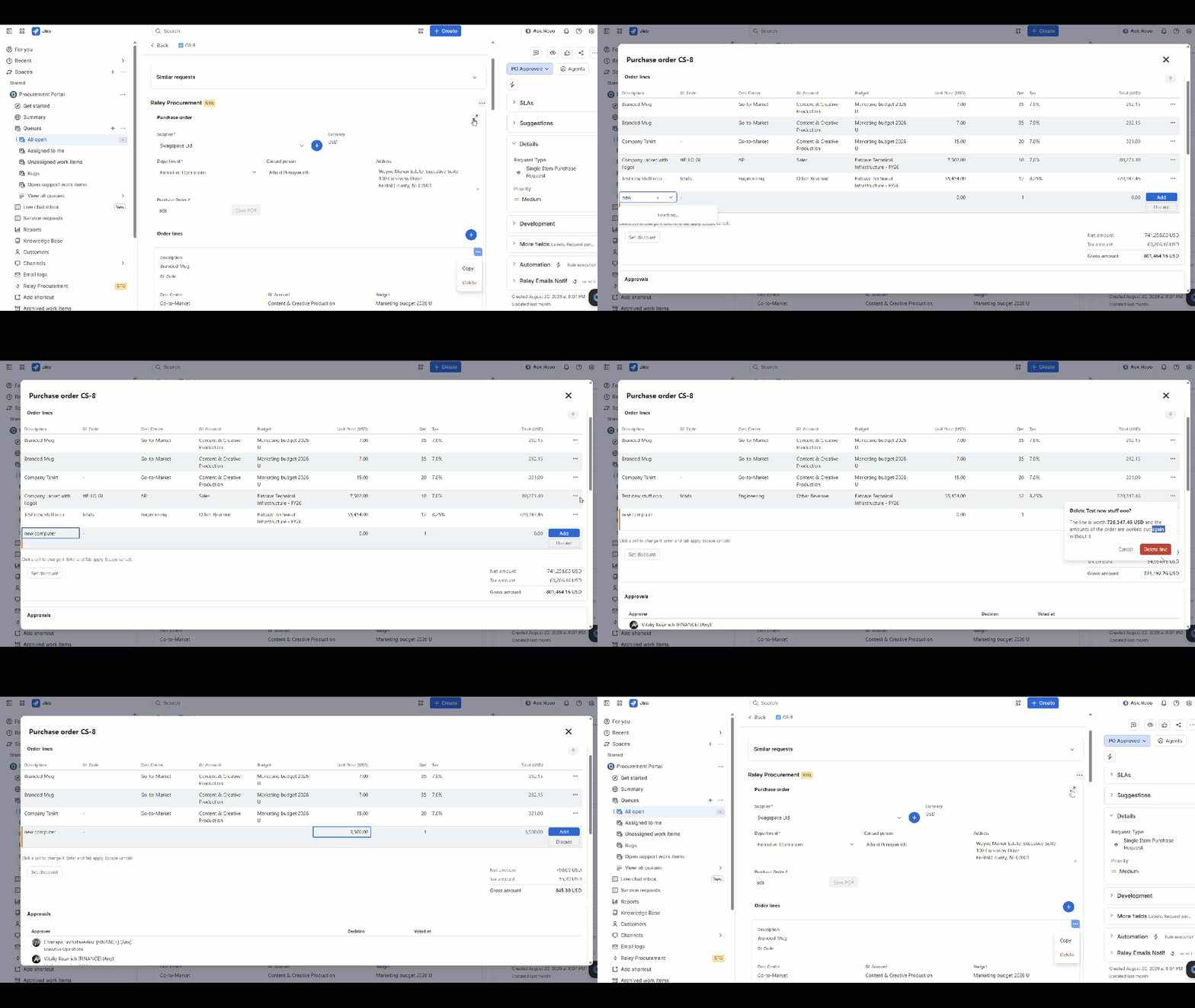
- Build a custom form with integrations that look up users, budgets, vendors, products, and departments, plus custom approval routing. A good one lets you pick departments and vendors, expose your product registry, add multiple order lines (each with its own cost center), enforce policies like legal or security review for new products, and calculate taxes and totals to assign the right approvals.
- Use a specialized app like Raley Procurement & Quotation that does all of the above out of the box.
One thing we learned the hard way: do not try to support multiple line items through sub-tasks. JSM does not support it, and even where it works, keeping child issues in sync with parent totals and approvals is a daily headache you will come to resent.
5. Track budgets, vendors, and products in JSM Assets
A purchase request cannot stand alone. It has to connect to departments, budgets, vendors, and products, and deciding where that data lives takes some thought.
Our first instinct, like everyone's, was Jira custom fields. It does not scale. Departments cannot link to users without custom work, vendors carry too much metadata for a field, and putting thousands of products into custom-field options is a genuinely bad day for whoever uses the form.
JSM Assets is the better home. It keeps purchase-related data organized, and because it has a REST API, syncing cached data with your master data is more manageable. Two cautions from experience:
- Store the minimum you need. Adding a field to Assets is easy; maintaining it forever is not.
- Let your ERP calculate totals and aggregates, not Jira. Duplicating data is bad. Duplicating behavior is worse.
Once a purchase is executed, JSM Assets also works nicely for tracking the goods and services you received. At that point it is doing exactly what the name says.
6. External PO numbers need their own process
Every purchase order needs a unique number, and how you generate it depends on the process you are replacing.
If a company has no formal numbering yet, the simplest move is to use the Jira ticket number as the PO number. It is clean and it tracks easily downstream.
Most companies moving to Jira already have a numbering system, often from an ERP like NetSuite. There, the external number has to be assigned to the Jira ticket, which a custom PO-number field set via a Jira Automation hook handles well. It also helps to let finance overwrite that number manually on the issue screen, and to print the PO number on any PDF sent to the vendor so everyone shares one reference.
7. Build in flexibility, because mistakes are certain
No matter how good your validation is, procurement mistakes will happen. Typos, miscalculations, a number that is an order of magnitude too big. The question is not whether, it is how painful the fix is.
The worst case is a mistake discovered after a request has cleared a long approval chain and gotten the C-suite's blessing. Most companies would much rather edit the request than cancel and restart, so a finance role that can intervene on a locked request saves real executive time.
Flexibility also covers the human stuff: an approver who is off sick, a ticket that slips through the cracks. Permissions to modify a locked PO, shortcuts to approve or reject, and reminder notifications all reduce the friction. The non-negotiable is accountability: any change to a locked PO should be auditable, so you can see who changed what, and the data is preserved automatically.
8. Get the approval types in the right order
Approvals are the heart of procurement, and the order matters more than people expect. Across our customers, the common approval types are:
- New vendor
- New product or service
- Department
- Budget or project
- Program (for spend over a set threshold)
- Gross-amount approvals
Some companies use all of them, some use one or two. When several apply, the order that usually works best is: new vendor, new product, department, budget, program, then gross-amount approvals in ascending order. Gross-amount approvals climb the hierarchy until they reach a level that can sign off the total.
Notifications should follow the same order as the approvals. For gross-amount approvals especially, send them up the chain in sequence: a CFO and VP approve before the request ever reaches the CEO's inbox.
If you are weighing the move, start with 5 reasons to run your procurement on Jira or JSM, or see how the same engine powers sales quoting in JSM.
![Vladimir [RaleyApps]](https://storage.ghost.io/c/54/bc/54bce786-a3c0-4ea3-b0f4-96f64229d4ff/content/images/size/w300/2026/02/Vlad-9-1-1.jpg)