 Raley Procurement - Intake & Approval Orchestration for JSM
Approve every purchase without leaving Jira
Route every purchase request to the right approvers, by amount, budget, department, and category, then turn the approved request into a purchase order. All inside the ticket your team already works in.
Free trial · billed through Atlassian · runs on Atlassian Forge
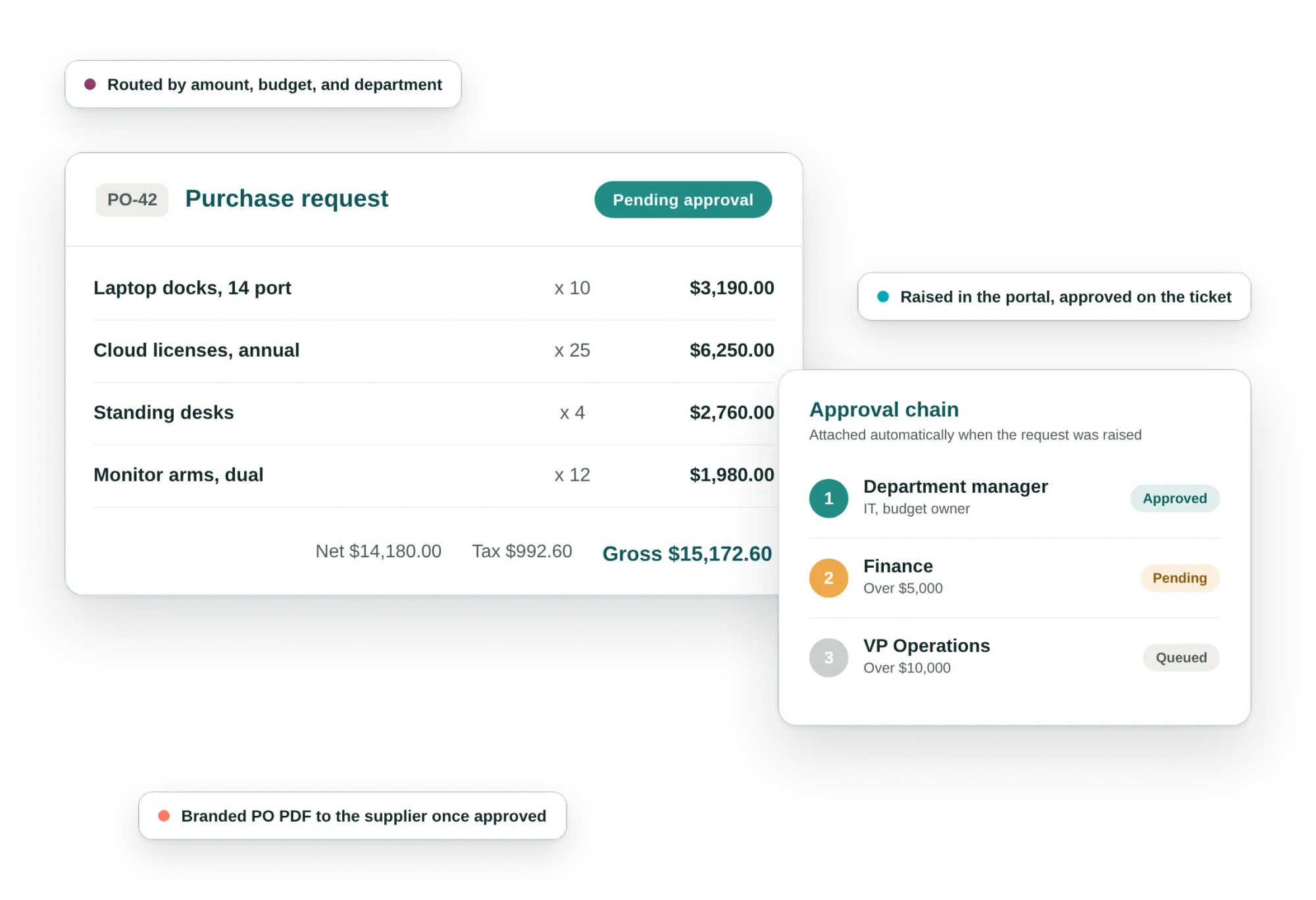
Procurement-specific approval needs, on the ticket
Request & approve in the JSM portal
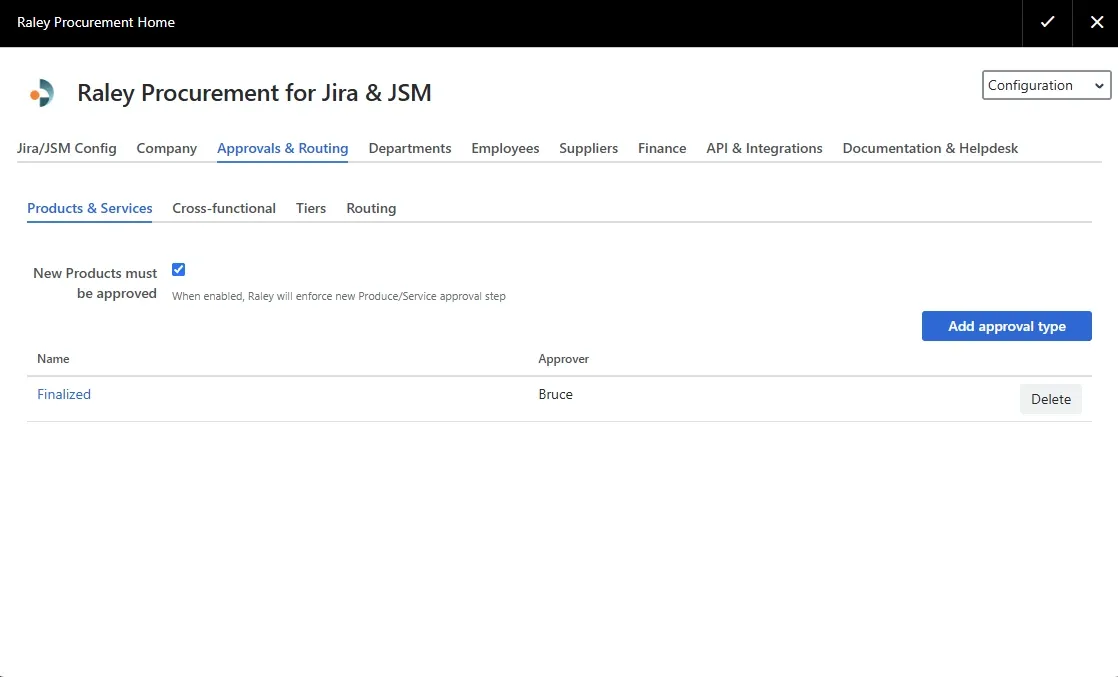
Create purchase requests and approve them as orders with custom workflows: product, cross-functional, budget, department, and tier-based approvals, with multi-currency support.
Track every order from the ticket
See what is ordered, received, and outstanding, including partial goods receipts, without a side spreadsheet or a chase-up email.
Live dashboards for committed spend
Real-time visibility into requests, approvals, and committed spend across departments and vendors, so Finance sees commitments as they happen, not after.
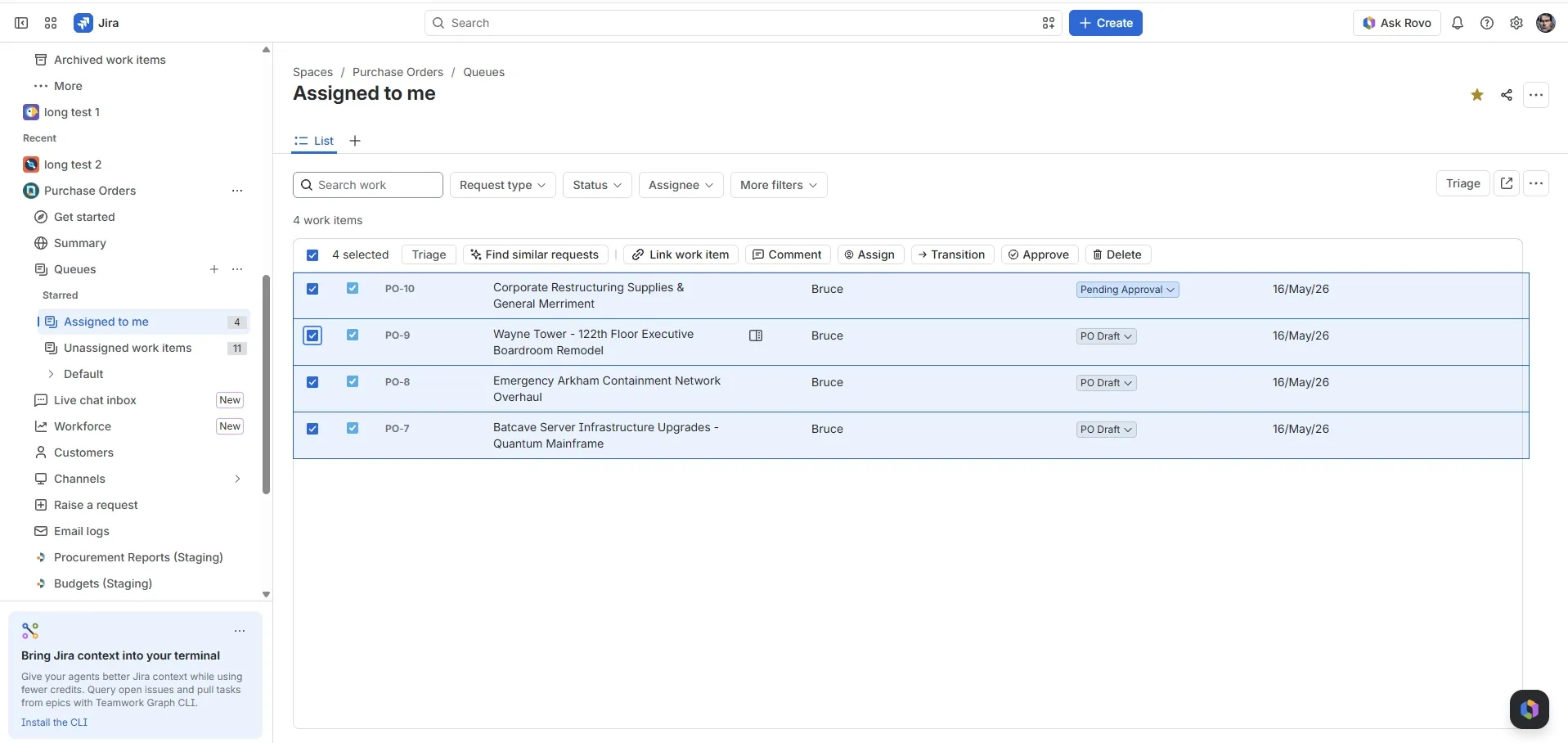
Approve one PO or many: select purchase orders in the Jira queue and act on them in one go.
Every purchase order arrives with its approvers attached
Auto-generated, customized POs
Built from your catalog, suppliers, and budgets, with the right approvers attached automatically.
Auto-generated approval flows
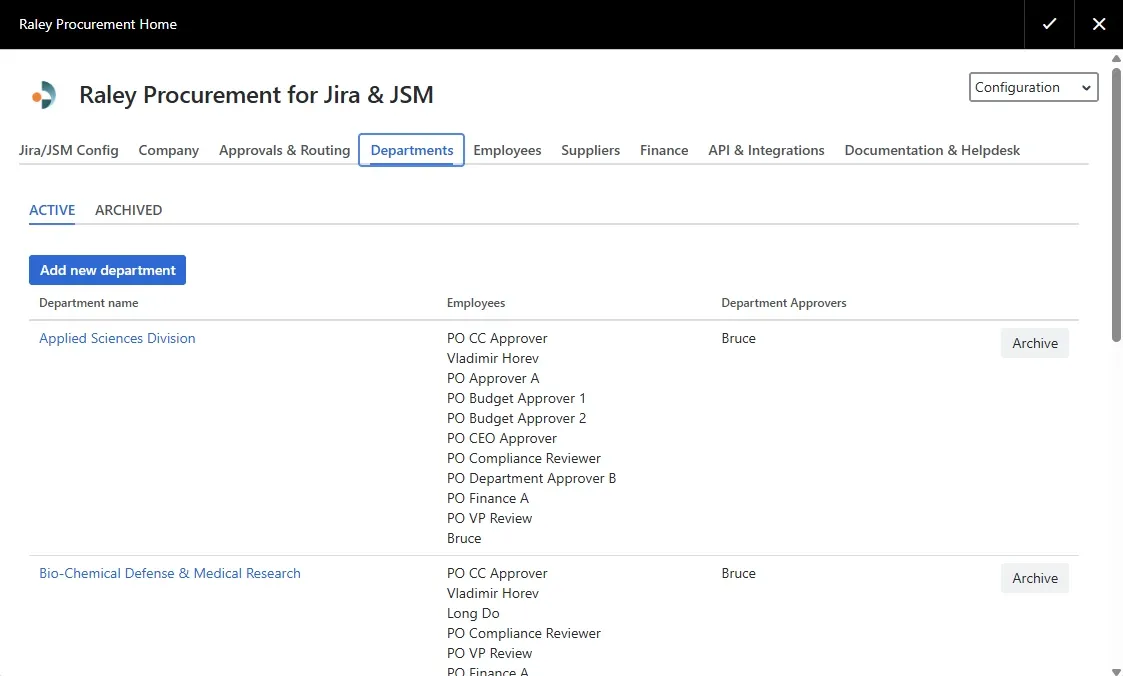
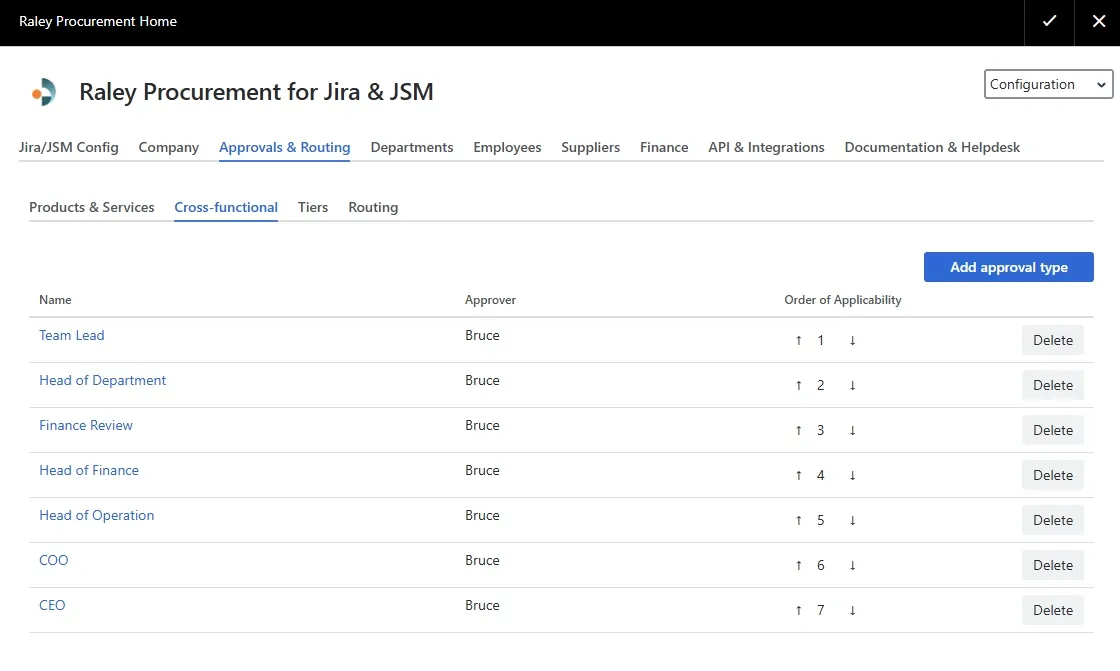
Budget, amount, and department decide who signs off, and in what order. Set it once, it runs on every PO.
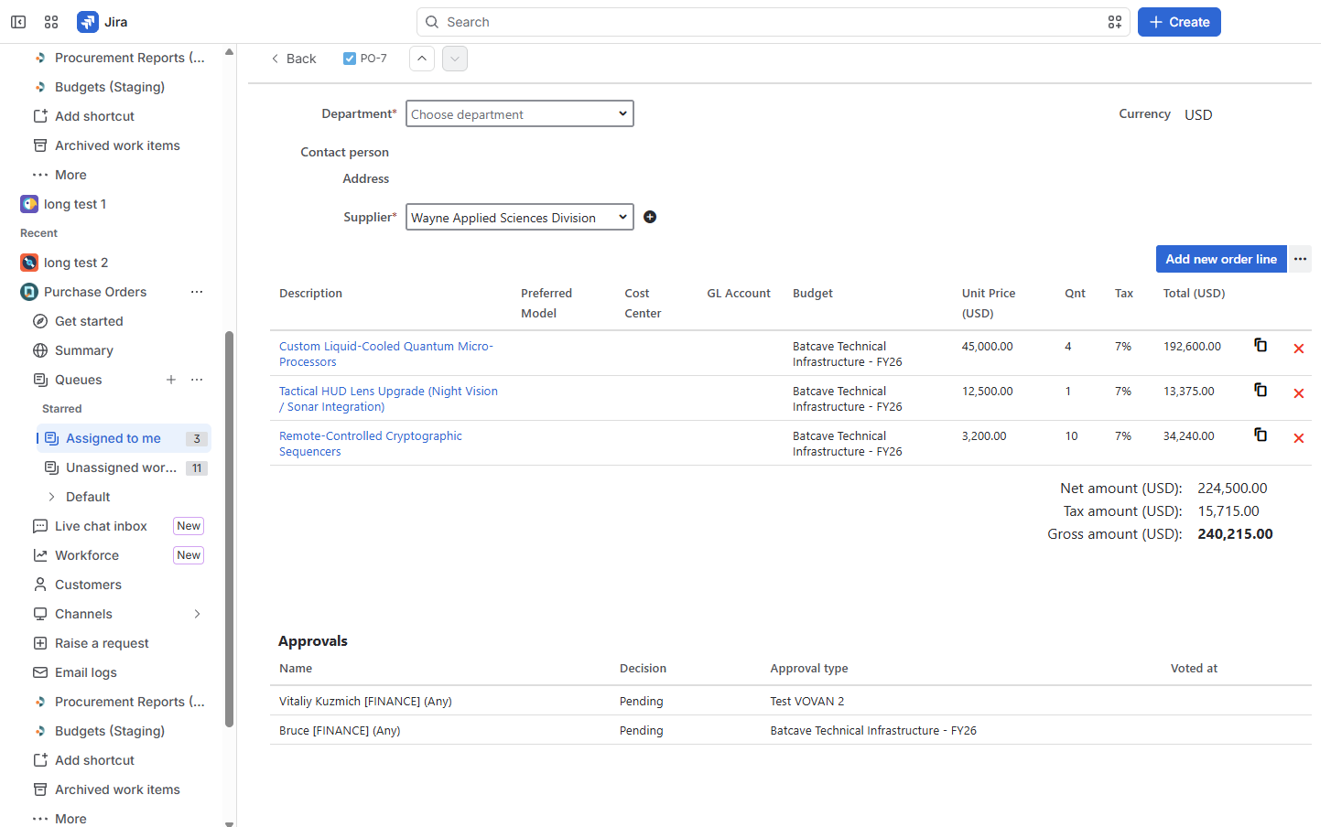
A PO raised from catalog items, budgets applied, and both finance approvers already pending.
From request to approved purchase order, in four steps
Every step happens inside Jira or the JSM portal. No new system for your team to learn.
Request in the JSM portal
Anyone raises a purchase request from the portal, with supplier, line items, quantities, and cost. No Jira licence needed for requesters.
Route through the approval matrix
Raley sends it to the right approvers automatically, by department, budget, product category, and spend threshold, up to three tiers.
Approve with full context
Approvers see the amount, the budget impact, and the request history on the ticket, then approve or send it back, with a complete audit trail.
Raise the purchase order
Once approved, Raley turns the request into a purchase order PDF, tracks delivery, and hands clean data to your ERP by CSV or REST API.
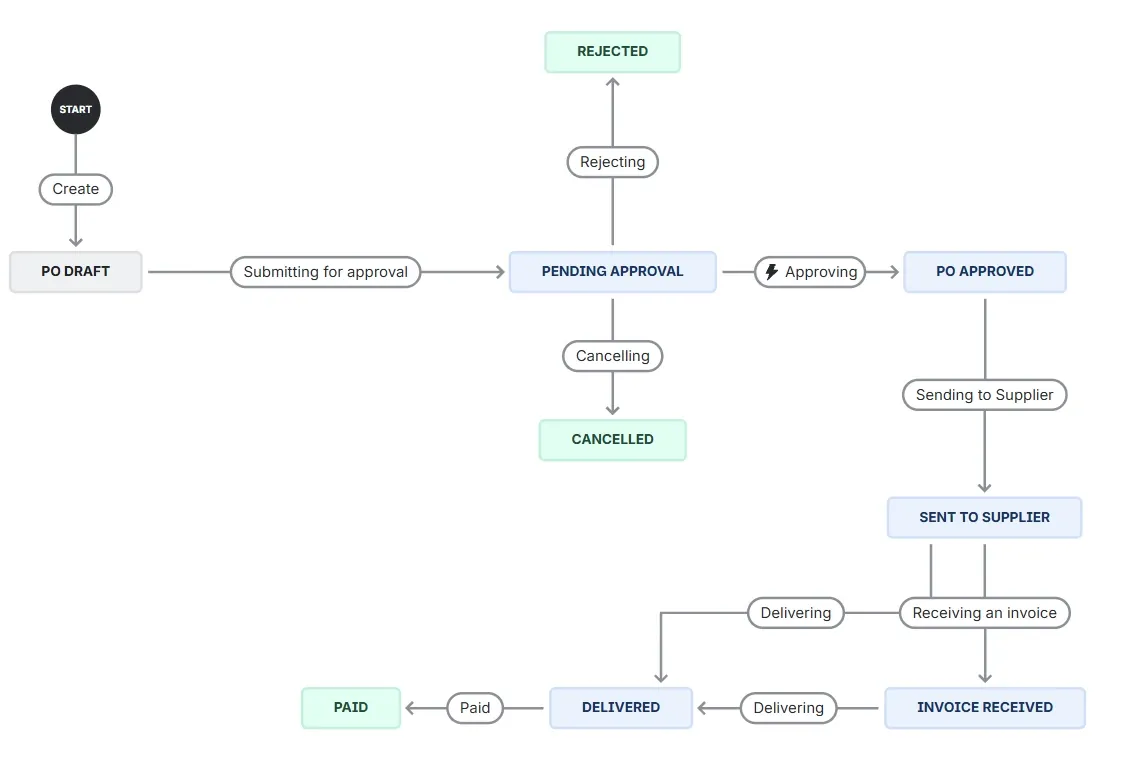
The governed path every purchase order follows, from PO draft through approval to paid.
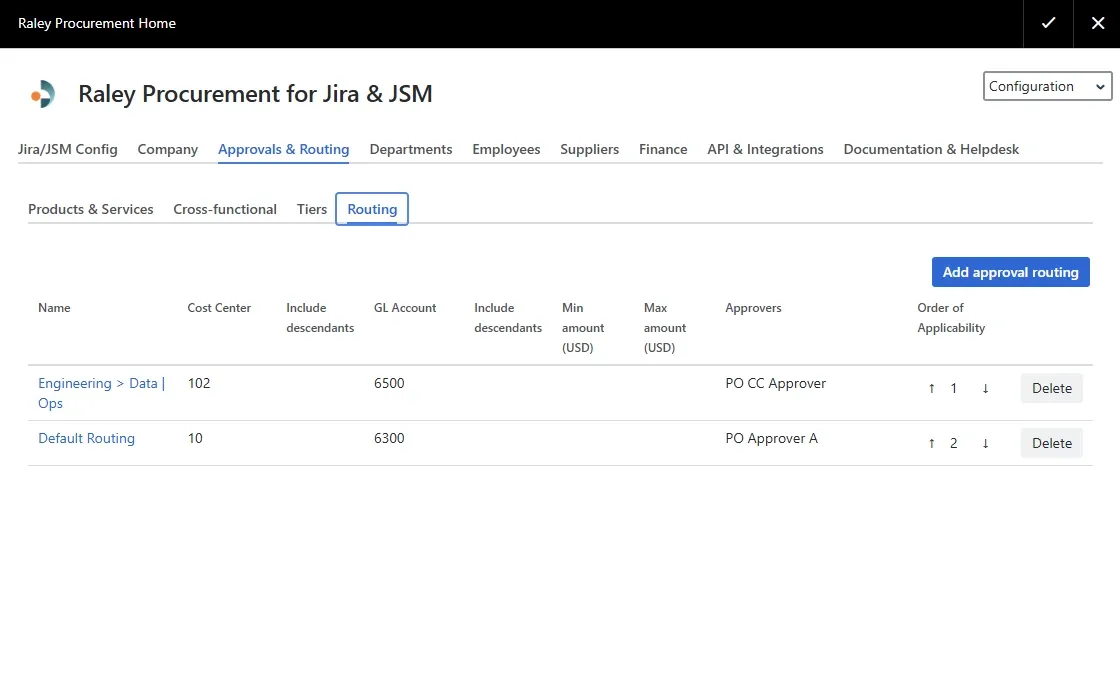
Approval routing in Raley: cost center, GL account, amount range, and approvers.
Approvals that match how you actually buy
A flat "manager approves everything" rule breaks the first time a $50 pen order and a $50,000 server order follow the same path. Raley routes each request on its own terms.
By amount
Small buys clear fast; large buys pick up the extra sign-off they need.
By department
IT, Marketing, and Ops each follow their own approval chain.
By category
New suppliers or restricted categories loop in Procurement automatically.
By threshold
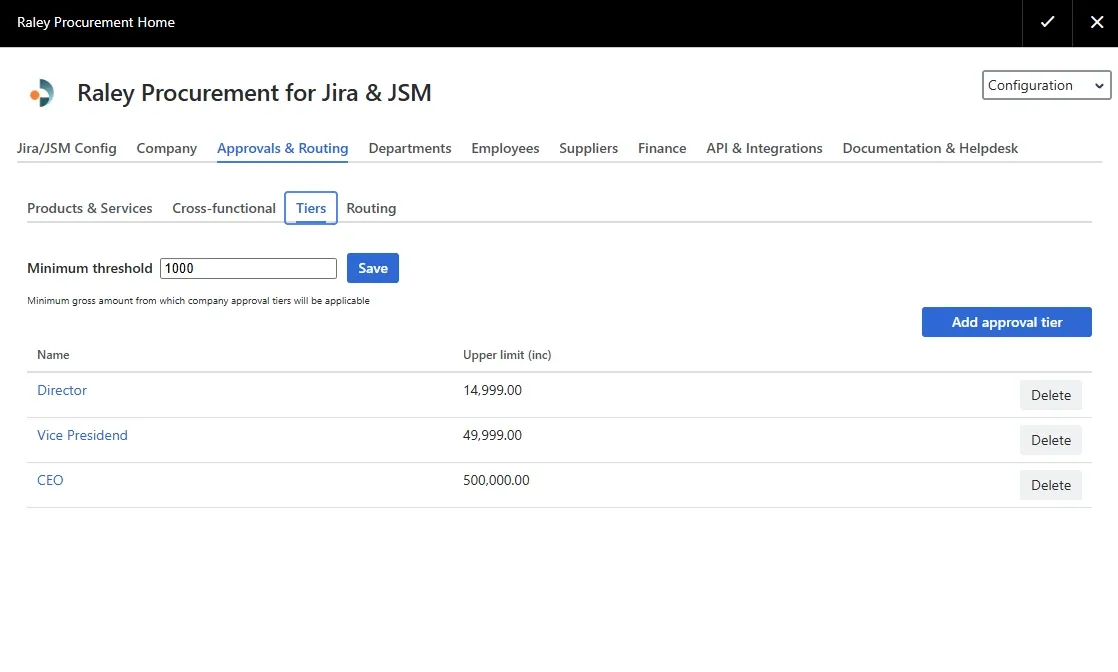
Cross a spend limit and the next approval tier is added, up to three.
Ask Rovo about your purchase orders
Every request, approval, and purchase order is a real Jira work item. So Atlassian's Rovo AI can work with them: summarize every open PO, show what sits in PO Draft or Pending Approval, and hand you an executive breakdown without opening a single ticket.
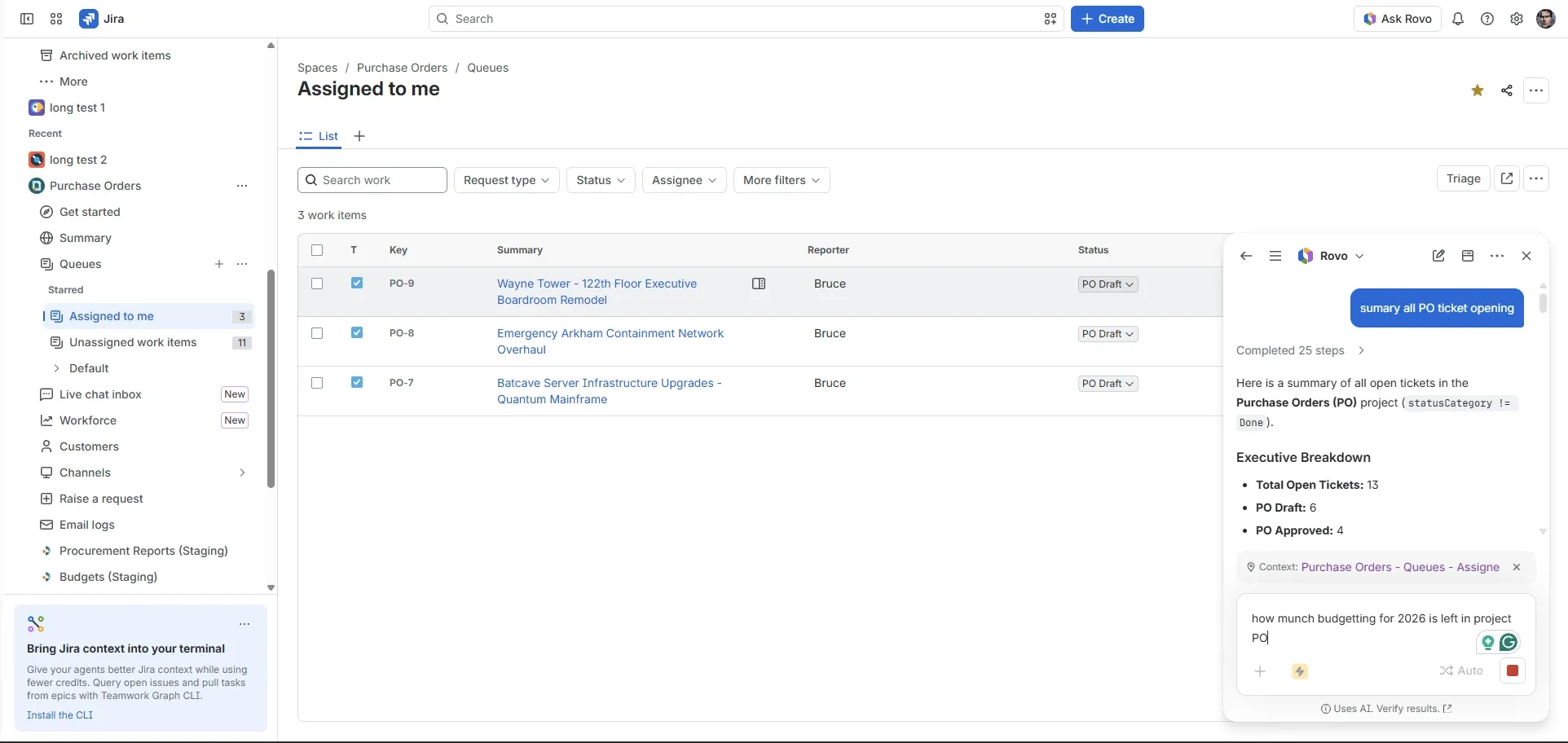
Rovo summarizing every open PO ticket in the Purchase Orders project.
Four ways to approve a purchase, and where they break
| Email & spreadsheets | Plain Jira approval step | Standalone procurement suite | Raley Procurement | |
|---|---|---|---|---|
| Routes by amount & budget | Manual, easy to skip | No, one flat approval | Yes | Yes, up to three tiers |
| Lives where your team works | Scattered across inboxes | Inside Jira | Separate system to log into | Inside Jira & JSM |
| Raises a purchase order | Typed by hand | No | Yes | Yes, generated PDF |
| Finance sees committed spend | After the invoice | After the invoice | Yes | As it is approved |
| Setup & cost | Free, but leaks | Free, but limited | Weeks · high annual fees | Install & configure · per-user via Atlassian |
A workflow is not a procurement system. Raley adds the purchasing layer (approvals, POs, budgets, and suppliers) on top of the Jira you already run.
Purchase approval questions, answered
Is this different from Jira's built-in approval step?
Yes. Jira's native approval is a yes/no gate on an issue. Raley is for purchase approvals: requests that carry an amount, a budget, a supplier, and line items, and that route through multiple approvers by amount, department, and category before a purchase order is raised. If you only need a plain yes/no on a ticket, a Jira workflow covers that on its own.
How do the approval tiers work?
You build approval rules by department, budget, product category, and spend threshold, up to three tiers. A small request might need one manager; a request over a threshold, or in a restricted category, automatically picks up the extra approvers it needs.
Does it work in Jira Service Management as well as Jira?
Yes. Requesters raise purchase requests through the JSM portal (no Jira licence required for them), and the approval and purchase-order flow runs inside Jira and JSM tickets.
What happens after a purchase is approved?
Raley turns the approved request into a purchase order PDF, tracks delivery and partial goods receipts from the ticket, and hands clean data to your ERP by CSV or REST API. Finance sees the committed spend on live dashboards as soon as it is approved.
Can approvers set roles and permissions?
Yes. Raley uses role-based access, with Finance, Approval, and Viewer roles assigned to users or groups, so people see and do only what their role allows.
How is it priced?
Raley Procurement is paid through the Atlassian Marketplace, priced per user of your parent Atlassian product, and billed on the same cycle as your Atlassian subscription. Start with a free trial, current pricing is always on the Marketplace listing.
Bring purchase approvals into Jira and JSM
Route requests, keep Finance in control, and raise the purchase order, inside the tool your team already uses. Start free on the Atlassian Marketplace.
Free trial · billed through Atlassian · no separate procurement system to run